
Google Ads keyword match types and search terms, explained for service businesses
Broad, phrase and exact match in plain English, the difference between a keyword and a search term, and how a service business can check what it is paying for.
Your keyword is what you tell Google you want to appear for; the search term is what someone actually typed. Match types control how far apart the two can be. Broad match reaches the widest range of related searches, and Google says it should be used with Smart Bidding. Phrase match covers searches that include your keyword’s meaning. Exact match covers searches with the same meaning or intent, and gives the most control. Whichever you use, check the search terms report regularly and add negatives for searches that will never become work.
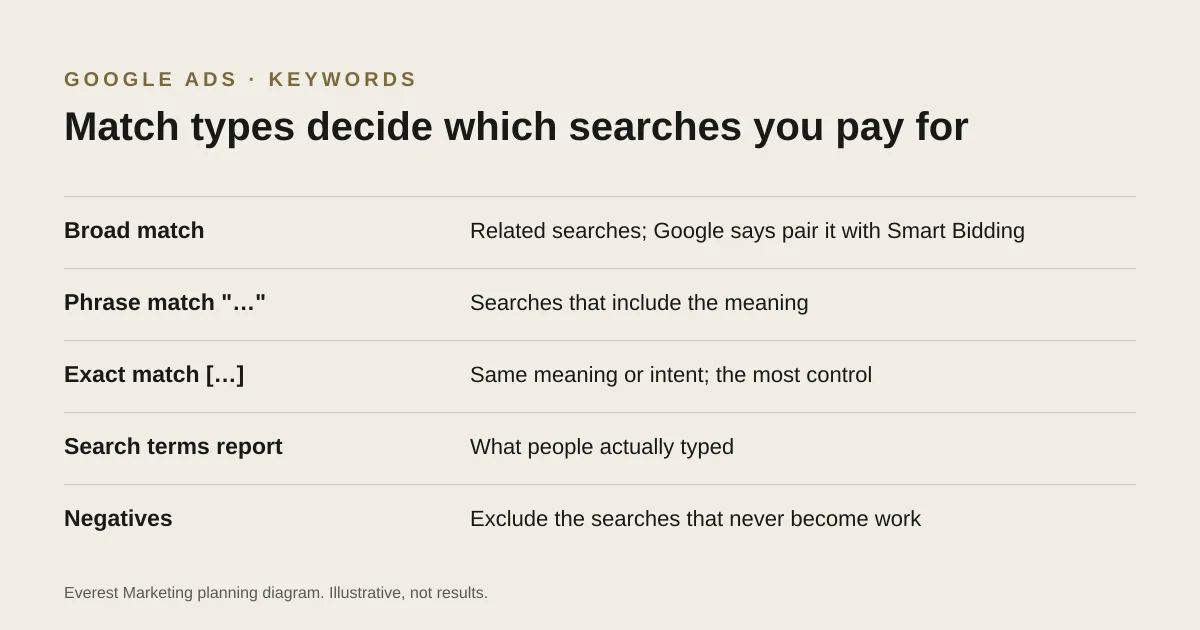
Many owners who look inside their Google Ads account for the first time are surprised by the searches they paid for. That usually comes down to two things: the difference between keywords and search terms, and the match types on the keywords. Neither is complicated once you see an example.
Keywords and search terms are different things
- A keyword is what you add to your account, such as blocked drain plumber.
- A search term is the exact words someone typed before your ad appeared, such as who can fix a blocked toilet tonight near Penrith.
Google matches search terms to your keywords using the match type you set. The search terms report shows the actual searches that triggered your ads, with what each one cost. It is the most honest view of what you are buying.
The three match types
| Match type | How you write it | What Google says it can match | Example search it might match for blocked drain plumber |
|---|---|---|---|
| Broad | blocked drain plumber | Searches related to your keyword | drain cleaning cost, or sewer inspection |
| Phrase | "blocked drain plumber" | Searches that include the meaning of your keyword | emergency blocked drain plumber near me |
| Exact | [blocked drain plumber] | Searches with the same meaning or intent | plumber for blocked drains |
The examples are illustrative. Google decides each match, and exact match no longer means only the exact words. Google says it is critical to use Smart Bidding with broad match, because broad match relies on bidding signals to stay relevant.
Choosing for a small service account
- With little conversion data, phrase and exact match give you more control while you learn which searches turn into work.
- With reliable conversion tracking and enough enquiries for Smart Bidding to learn from, broad match can find searches you would not have thought of. Without good tracking, it optimises toward the wrong signal. Our guide to Google Ads conversion tracking covers that first.
- Whatever you choose, the search terms report tells you whether it is working.
A weekly search terms routine
- Open the search terms report for the last 7 days, sorted by cost.
- Mark terms that match work you want. Consider adding the best ones as keywords.
- Add negatives for terms that will never become work: jobs, training, DIY, other services, areas you do not cover.
- Check terms that cost money but brought no enquiries. Are they relevant but poorly served by the landing page, or simply irrelevant?
- Note what you changed, so you can see the effect next week.
Negative keywords have their own matching rules and do not behave exactly like normal keywords, so check Google’s help when you add them. For a list of common trade negatives and the rest of a tradie setup, see Google Ads for tradies.
Questions to ask whoever runs your account
- Which match types are we using, and why?
- Can I see the search terms report for last month?
- Which searches did we add as negatives, and when?
- If we use broad match, which conversions is Smart Bidding optimising for?
Sources
- About keyword matching optionsGoogle Ads Help, accessed 28 October 2026. Broad, phrase ("…") and exact ([…]) match; Google says Smart Bidding is critical with broad match
- About the search terms reportGoogle Ads Help, accessed 28 October 2026
- Find negative keyword ideas with the search terms reportGoogle Ads Help, accessed 28 October 2026