
Brand vs non-brand: the split that keeps a Google Ads report honest
Why searches for your business name should be reported apart from searches for your service, how to split them in Google Ads and Search Console, and what to ask.
Brand searches come from people who already know your business name. Many of them would find you anyway, so they tend to be cheap and convert well. Non-brand searches come from people looking for the service, who did not yet know you. Combining the two can make a campaign look better than it is. Ask for results split into brand and non-brand, in Google Ads by separating brand terms into their own campaign, and in Search Console with the branded queries filter where it is available.
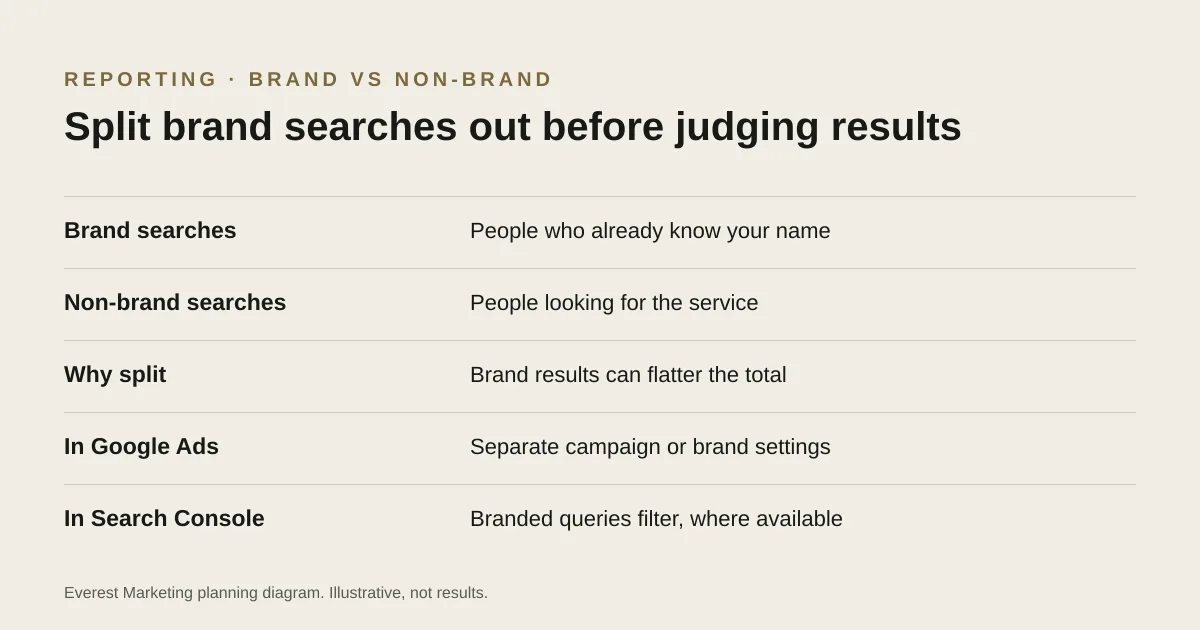
A monthly report shows a healthy number of enquiries at a low cost per lead. Before deciding the advertising is working, ask one question: how many of those came from people who searched for your business by name? The answer often changes how the report reads.
Two kinds of search
| Brand searches | Non-brand searches | |
|---|---|---|
| Example | “Smith Electrical”, “Smith Electrical reviews” | “electrician Castle Hill”, “switchboard upgrade cost” |
| Who is searching | People who already know you: past customers, referrals, people who saw your van | People looking for the service who may not know you |
| What the ad does | Often catches someone who would have found you anyway | Puts you in front of someone new |
| Usual cost and conversion rate | Usually cheaper, usually converts better | Usually dearer, usually converts less often |
Neither kind is bad. Brand ads can protect your name from competitors bidding on it, and some brand searches really are new customers. The problem is only when the two are blended into one figure and the blended figure is used to judge whether advertising brings in new work.
An example from our own Search Console
This is organic search, not Google Ads, but it shows the effect clearly. In Everest’s own Search Console for 25 July to 25 October 2026, among queries with at least five impressions, searches containing our name, “everest marketing” and “everest advertising”, brought 140 of the 149 clicks. Most of the rest came from searches for a client’s name that led to its case study. Service searches, such as SEO and Meta Ads terms in Sydney, brought one click between them. A single “clicks from Google” total would have hidden that our non-brand visibility was still very low.
How to split them
In Google Ads
- Put brand keywords in their own campaign, so spend, enquiries and cost per enquiry are reported separately.
- Add your brand name as a negative keyword in non-brand campaigns, so brand searches do not leak into them and flatter their results.
- Check brand settings. Google Ads offers brand inclusions and exclusions in some campaign types. Availability has changed over time, so check what your account offers.
- Read the search terms report to see which brand and non-brand searches actually triggered ads. Our guide to match types and search terms explains the report.
In Search Console
Google added a branded queries filter to the Search Console Performance report in late 2025, and says it became available to all eligible sites in March 2026. It uses an AI-assisted system to classify queries, which Google says can occasionally misidentify some. It is only available for top-level properties with enough search data. Where it is not available, the query filter (“contains” or “doesn’t contain” your brand name) is a reasonable manual split.
Questions to ask about any report
- How many enquiries came from brand searches, and how many from non-brand?
- What did each cost per enquiry?
- Is the brand name excluded from the non-brand campaigns?
- For SEO reports: how did non-brand clicks and impressions change, separately from brand?
- Are these enquiries counted when accepted, or on a button click? See our guide to Google Ads conversion tracking.
For how paid and organic search compare more broadly, see SEO vs Google Ads.
Sources
- Introducing the branded queries filter in Search ConsoleGoogle Search Central Blog, 20 November 2025, updated 11 March 2026. AI-assisted classification that may misidentify some queries; top-level properties with enough data only
- New brand settings in Search and Performance Max campaignsGoogle Ads Help, accessed 28 October 2026. Brand inclusions and exclusions; availability varies by campaign type and has changed over time
- About the search terms reportGoogle Ads Help, accessed 28 October 2026
- Find negative keyword ideas with the search terms reportGoogle Ads Help, accessed 28 October 2026