
CRM data migration checklist for small businesses
A CRM data migration checklist for small service businesses: what to move, how to clean and map it, testing the import, switching over and protecting customer data.
List what data you have and where, then decide what to move and what to leave behind. Clean it first: remove duplicates and records you no longer need, and keep any record of consent. Map each old field and pipeline stage to the new system. Import a small test batch and check it before importing everything. Pick one switch-over date, point your website forms and integrations at the new CRM, and keep the old one read-only until you are sure nothing is missing.
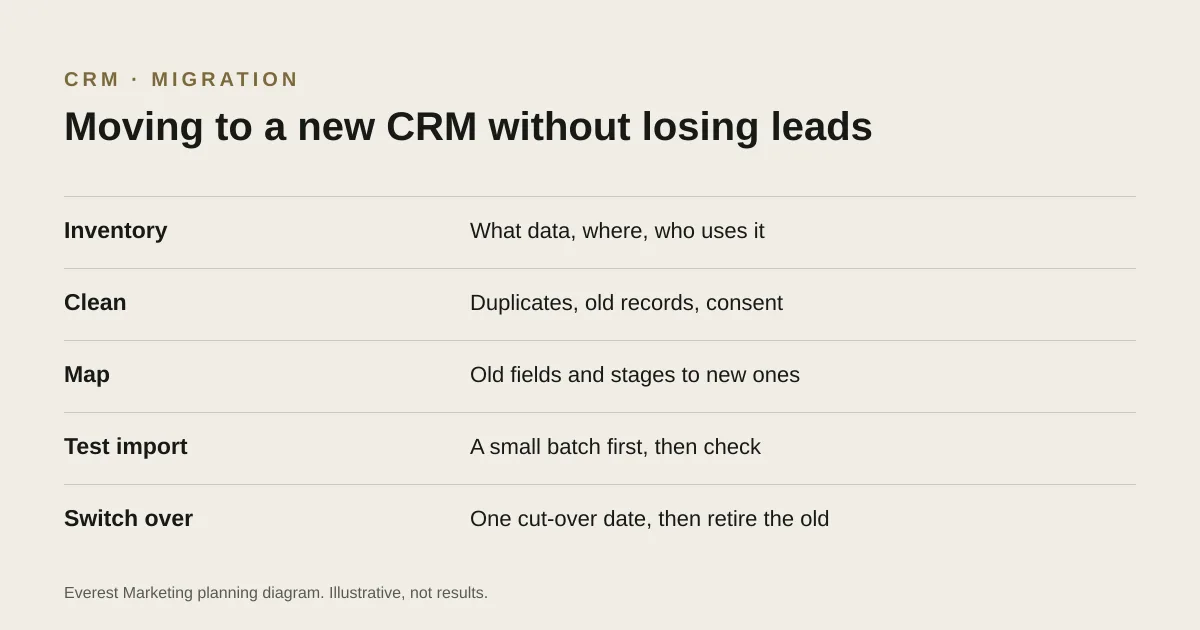
Changing CRM is usually worth it when the old one no longer matches how you work. The risk is in the move: leads arriving in the old system after everyone has stopped looking at it, notes and quote history lost, or duplicates that make reports useless. This checklist is for small service businesses moving from a spreadsheet or another CRM.
1. Take stock
- Which records you have: contacts, companies, leads, quotes or deals, jobs, notes, files.
- Where each lives today: CRM, spreadsheets, email, job software, phones.
- Everything that sends data in: website forms, ad lead forms, booking tools, email.
- Everything that reads data out: email marketing, invoicing, reports.
- Who uses it, and what each person needs to see.
2. Decide what to move
You rarely need everything. Open quotes, current customers and recent leads usually matter most. Very old, incomplete or bounced records can often be archived rather than imported. Privacy rules also apply: where the Australian Privacy Principles apply to your business, they include keeping personal information accurate and secure, and destroying or de-identifying it in some circumstances. Keep any record of marketing consent with the contact it belongs to.
3. Clean before you import
- Merge duplicates, using email address or phone number as the match.
- Standardise formats: phone numbers, suburbs, states, dates.
- Fill or flag missing essentials, such as the lead source where known.
- Remove test records and spam submissions.
4. Map old to new
| Old system | New system | Note |
|---|---|---|
| “Phone” and “Mobile” columns | Phone (mobile preferred) | Keep both if the new CRM allows |
| Status: “Quoted” | Pipeline stage: Quote sent | Match stage meanings, not only names |
| Status: “Dead” | Lost, with reason “No reply” | Add a reason field if there was none |
| Free-text notes | Notes, dated | Import as notes so history is kept |
| Source column (if any) | Lead source | Use “Unknown” rather than guessing |
Decide your pipeline stages before mapping. Our guide to CRM automation for service businesses covers stages that reflect how work actually progresses.
5. Test with a small batch
- Import 20 to 50 records, including some with notes, quotes and odd formatting.
- Open them one by one: are fields, stages, owners and notes where you expect?
- Check dates and time zones.
- Fix the mapping, delete the test batch, and try again until it is right.
6. Switch over
- Pick a quiet day and tell the team.
- Import everything, then check record counts against the old system.
- Point website forms, ad lead forms and integrations at the new CRM, and test each one with a labelled test enquiry.
- Set the old system to read-only, or export a full backup, and keep it for an agreed period.
- For the first two weeks, check every day that new enquiries are arriving in the new CRM.
Testing the forms matters most: an enquiry that lands in a system nobody checks is the most expensive kind of lost lead. Our website maintenance checklist includes a monthly form test you can keep doing afterwards.
Sources
- Australian Privacy Principles quick referenceOffice of the Australian Information Commissioner, accessed 28 October 2026. APP 10 quality and APP 11 security, including destroying or de-identifying information in some circumstances. Whether the Privacy Act applies depends on the business
- Australian Privacy PrinciplesOffice of the Australian Information Commissioner, accessed 28 October 2026. General reference only. Whether the Privacy Act applies depends on the business; this guide is not legal advice