
Why GA4 and Search Console numbers don’t match, with our own data
Search Console counts clicks on Google; GA4 counts sessions on your site. See our own 28-day numbers side by side, why they differ, and how to compare them fairly.
Because they count different things. Search Console counts clicks on your site in Google’s search results. GA4 counts sessions: periods of activity on your site from any source, measured only where the GA4 tag runs and only as far as visitors’ consent choices allow. They also use different time zones and URL rules. Google itself says the totals will not match and that you should compare the general trend instead. On a small site, even the trend can move around week to week.
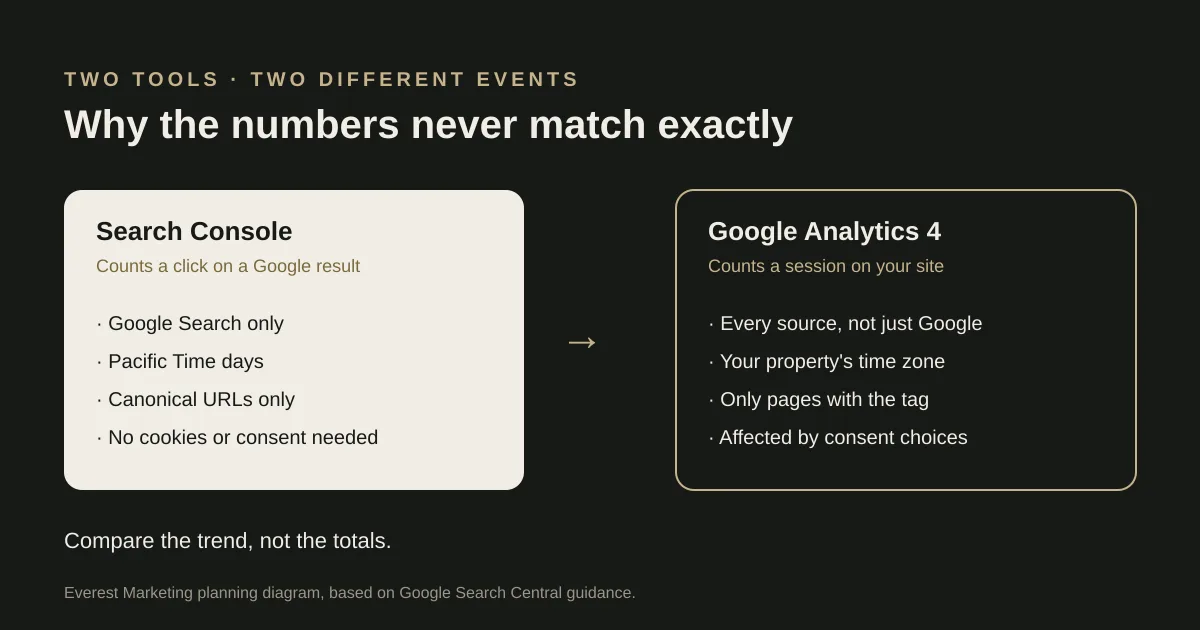
Most business owners notice this the first time they open both tools: Search Console says one number, Analytics says another, and neither looks wrong. Usually neither is. This guide explains what each tool measures, then shows our own numbers from the same four weeks so you can see the gap in practice.
What each tool measures
| Search Console | Google Analytics 4 | |
|---|---|---|
| What it is for | How your site performs in Google Search results | How visitors interact with your website |
| The number people compare | Clicks: a person clicks a link in a Google Search result that leads to your site | Sessions: a period of time during which someone interacts with your site. By default a session ends after 30 minutes of inactivity |
| Where the data comes from | Google’s own search logs. No tag on your site is needed | The GA4 tag running in the visitor’s browser |
| Time zone | Pacific Time, and it cannot be changed | The time zone set on your GA4 property |
| Which URLs | Only the URL Google treats as canonical | Any URL where the tag runs |
| Bots | Not necessarily filtered out | Known bots excluded automatically |
| Consent | Not affected | Affected when visitors decline or are not asked to accept tracking |
Our own numbers, side by side
Here is Everest’s own website over the same 28 calendar days. We matched the filters as closely as the tools allow: all countries, all hostnames, and only Google’s organic search results on both sides. Only totals are shown; no visitor-level data is published.
| Tool and filter | Measure | Result |
|---|---|---|
| Search Console, property sc-domain:everestmarketing.com.au, search type “web”, final data, no other filters | Clicks | 132 |
| Search Console, same property and filters | Impressions | 2,616 |
| GA4 property 553728646, Session source / medium exactly “google / organic”, no other filters | Sessions | 143 |
| GA4, same filter | Active users | 26 |
| GA4, Session default channel group = Organic Search (any search engine) | Sessions | 144 |
What “Google organic” means in each tool
- Search Console, search type “web”: clicks on results in Google Search’s main results. Image, Video and News tab results are separate search types, and Discover and Google News have their own reports; none of those are in the 132.
- GA4, session source / medium “google / organic”: sessions that GA4 attributed, when they started, to Google as an unpaid search source. That attribution comes from the referrer and GA4’s own rules, so it can include visits from Google surfaces that Search Console counts under a different search type or not at all. It counts sessions on pages where our tag ran, not clicks.
Same dates, different hours
Each tool reports “28 September to 25 October”, but in its own time zone. Our GA4 property reports in Australia/Perth time (UTC+8), which is what Google’s reporting API returned for these reports. Search Console always uses Pacific Time, which in this period was UTC−7. So the same calendar dates cover different hours:
| Tool | Starts (Sydney time) | Ends (Sydney time) | Starts (UTC) | Ends (UTC) |
|---|---|---|---|---|
| Search Console (Pacific days) | 28 Sep, 5:00 pm | 26 Oct, 6:00 pm | 28 Sep, 07:00 | 26 Oct, 07:00 |
| GA4 (Perth days) | 28 Sep, 2:00 am | 26 Oct, 3:00 am | 27 Sep, 16:00 | 25 Oct, 16:00 |
GA4’s window starts and ends 15 hours earlier. Each tool includes 15 hours at one end that the other leaves out, so even with perfect tracking the two would not cover exactly the same visits. (Sydney moved to daylight saving on 4 October, which is why the Sydney end times are an hour later than the start times.)
GA4 recorded more Google organic sessions (143) than Search Console recorded clicks (132), and those sessions came from only 26 active users. On a site this size, both numbers are small enough that a few people returning several times can move them noticeably. GA4 cannot tell us who those users were, and some visits may be our own checks of the live site. We have not removed anything from the figures to make them look tidier.
Week by week
| Week | Search Console clicks | GA4 Google organic sessions |
|---|---|---|
| 28 Sep – 4 Oct | 47 | 38 |
| 5 – 11 Oct | 37 | 52 |
| 12 – 18 Oct | 24 | 37 |
| 19 – 25 Oct | 24 | 18 |
Google’s guidance is that the general trend should follow the same pattern even when the totals differ. Ours only partly does: both tools show the last week lower than the first, but in the middle weeks they move in opposite directions. With around five clicks a day, that is not surprising. One busy day or one returning visitor can change a week. Comparisons get more useful as volume grows; at this size, treat a single week as noise.
A detail you may also notice: GA4’s daily figures add up to 145 sessions while its total for the period is 144. A session that runs across midnight is counted on both days in a daily breakdown, but only once in the total.
Why our numbers differ
These are the factors we know apply to our own setup. We cannot measure how much each one contributes, so read them as reasons, not a breakdown of the gap.
- Different time zones. As shown above, the two windows are offset by 15 hours. Most of Search Console’s 25 October, for example, falls on 26 October in Perth, outside the GA4 window.
- Clicks are not sessions. One person can click a result, leave, and come back from Google an hour later: two clicks and two sessions. Or they can open two results from one search into the same session. The units are related but not the same.
- Consent. Our site loads GA4 with analytics storage switched off by default, and visitors can opt in on our privacy page. Google notes that when visitors opt out of tracking, Analytics data can be skewed. Search Console is not affected by any of this.
- Where the tag runs. We deliberately run GA4 only on public marketing pages of www.everestmarketing.com.au, never on private client pages or test hosts. Search Console counts clicks to any page Google shows, so a click to a page without the tag appears in one tool and not the other.
- URLs. Google says Search Console reports on the URL it treats as canonical, while GA4 reports any URL where the tag runs. In our own Search Console data, older addresses (with a trailing slash, or without www) still appear as separate rows even though they now redirect; in GA4 those visits are recorded on the page they end up on.
How to compare them fairly on your own site
- Use the same date range in both, and remember that the same dates are not the same hours. Search Console days are always Pacific Time; check your GA4 property’s reporting time zone under Admin, Property details, rather than assuming it matches where your business is.
- In Search Console, use the Performance report for web search. Note whether you are looking at final or fresh data.
- In GA4, look at sessions where the session source / medium is google / organic, not the whole Organic Search channel, which also includes other search engines.
- Check the GA4 tag is on every page you care about. A page missing the tag is the most common real fault.
- Write down how your site handles consent, because it changes what GA4 can count.
- Compare the direction over several weeks, not the exact totals on one day.
- If the gap suddenly widens and stays wide, check for a broken tag, a redirect change or a consent change before blaming search.
When a gap is worth investigating
- Search Console shows steady clicks to a page but GA4 shows no sessions on it at all: the tag may be missing there.
- The two used to move together and then split sharply after a site change: check the tag, consent banner and redirects that went live.
- GA4 organic sessions far exceed Search Console clicks for weeks: look for internal or test traffic, or a referral being misclassified.
What to measure instead of chasing a match
Neither number is the one that pays the bills. Use Search Console to see which searches and pages are gaining visibility, and use GA4 to see what visitors do once they arrive, especially whether they enquire. Then check the enquiries themselves: our guide to tracking leads from click to customer explains how to connect the stages, and the qualified lead cost calculator shows what each useful enquiry cost.
If your numbers look wrong and you would like a second pair of eyes, our conversion tracking and SEO pages explain how we check a setup.
Sources
- Using Search Console and Google Analytics data for SEOGoogle Search Central, accessed 28 October 2026. Source for clicks vs sessions, Pacific Time, canonical URLs, bots, consent opt-outs, missing tags, and comparing trends rather than totals
- About Analytics sessionsGoogle Analytics Help, accessed 28 October 2026. Session definition and the default 30-minute inactivity timeout
- Everest Marketing Search Console and GA4 data, 28 Sep–25 Oct 2026First-party, retrieved 28 October 2026 via OpenSEO read-only connections (sc-domain:everestmarketing.com.au; GA4 property 553728646, time zone Australia/Perth)
- How lead qualification works for service businessesEverest Marketing
- How to track Meta Ads leads from click to customerEverest Marketing