
Website brief template: what to tell a web designer before they quote
A free website brief template in Word for small businesses, with what to write in each section so web designers can quote on the same scope.
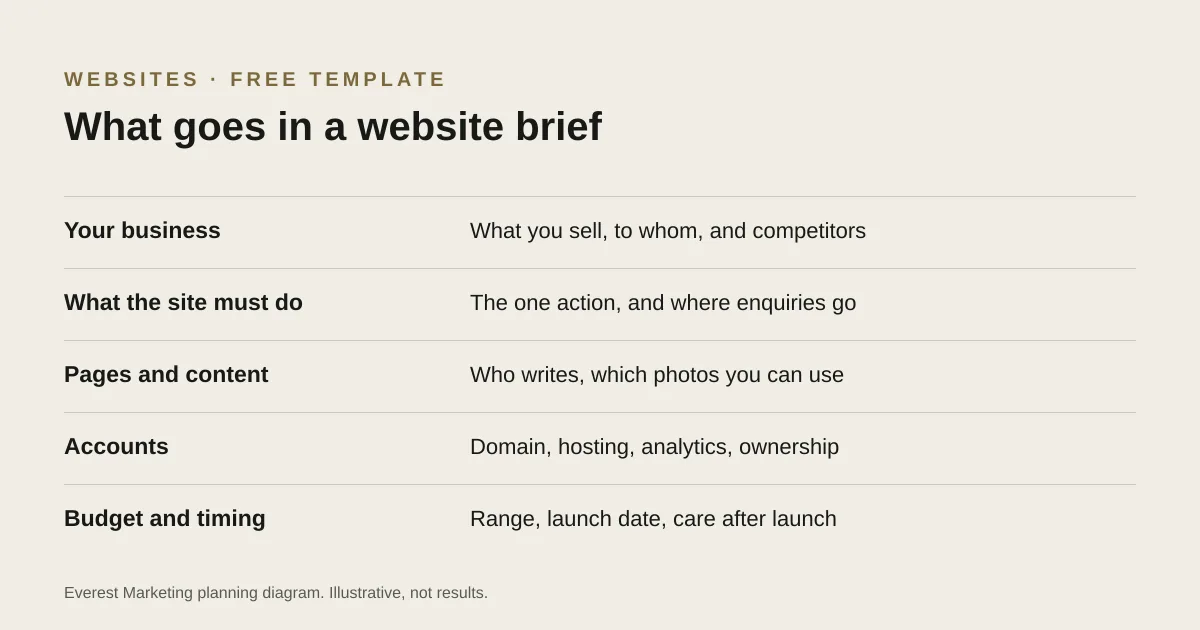
A website brief should say what your business does and for whom, the one action the website must get visitors to take, the pages and content you need and who will write them, any features or integrations, who owns the domain and accounts, the services and areas you want to be found for, and your budget range, launch date and plans for looking after the site afterwards. Our free Word template has a section for each, with prompts.
Two quotes for “a website” can describe completely different jobs. One includes copywriting, ten pages and a booking system; the other is five pages built from words you supply. A brief fixes that by giving every designer the same starting point. It also makes you decide a few things that are easier to settle before the work starts than halfway through.
What to write in each section
1. Your business
Two sentences on what you sell, who your best customers are, and two or three competitors with their websites. Designers use this to judge tone and what customers will be comparing you with.
2. What the website must do
Pick the one action that matters most: request a quote, call, book or buy. Then say where an enquiry should go when it is sent, such as which inbox or CRM. That decides how the forms are built and how success can be measured later.
3. Pages and content
List the pages you expect: home, one page per main service, about, proof of work, contact. Say who will write the words and which photos you own or have permission to use. Content is often the slowest part of a website project, so be honest about what exists today.
4. Features
Forms, online booking, payments, quote requests, and any tools the site must connect to, such as a CRM, email marketing or booking software. If you liked something on another site, include the link and say what you liked about it.
5. Accounts and ownership
Who owns the domain now, where the current site is hosted and who pays for it, and which accounts the new site should connect to. Our account ownership checklist explains what to check.
6. Search
The services and areas you want to be found for, limited to areas you genuinely serve, and any existing pages that already bring in enquiries. Those pages need redirects if their addresses change; our website redesign checklist covers why.
7. Budget, timing and after launch
A budget range, your ideal launch date and any hard deadline, who will update the site afterwards, and what ongoing support you expect. Sharing a range lets designers propose a sensible scope instead of guessing. Our website cost guide explains what affects the price.
Before you send it
- Have you named the one main action for visitors?
- Is it clear who writes the content and who supplies the photos?
- Have you listed integrations, even if you are not sure they are possible?
- Have you said who owns the domain and hosting?
- Did you give a budget range and a launch date?
- Will every designer you contact get the same brief?
Once quotes come back, our guide to choosing a web designer covers how to compare them fairly.
Sources
- Creating helpful, reliable, people-first contentGoogle Search Central, accessed 25 October 2026
- Forms tutorialW3C Web Accessibility Initiative