
Website accessibility checks a small business can do in an hour
Quick website accessibility checks for Australian small businesses: what to test, how, what the checks cannot tell you, and where WCAG and Australian guidance fit.
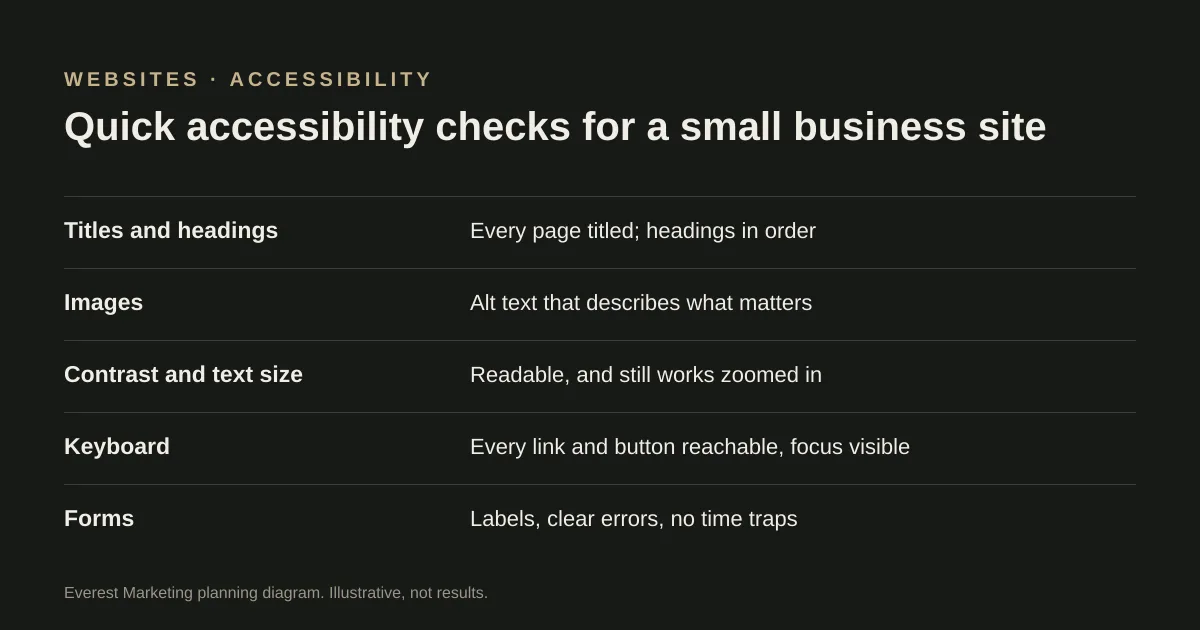
Start with quick checks anyone can do: every page has a clear title, headings are in order, images have useful alt text, text has enough contrast and still works when zoomed in, every link, button and form can be used with a keyboard with the focus visible, and forms have labels and clear errors. These catch common barriers but are not a full evaluation. The international standard is WCAG; the Australian Human Rights Commission’s 2025 guidelines are reported to recommend WCAG 2.2 Level AA.
An accessible website works for people who use a screen reader, navigate with a keyboard, zoom in, or have low vision or colour blindness. It also tends to work better for everyone: clear headings, readable text and forms that explain their errors help any customer on a phone in bright sunlight. You do not need special tools to find the most common problems.
Where the standards come from
- WCAG (Web Content Accessibility Guidelines), published by W3C, is the international standard. Version 2.2 is current, with three conformance levels: A, AA and AAA.
- In Australia, the Disability Discrimination Act 1992 covers discrimination in providing goods and services. The Australian Human Rights Commission published *Guidelines on equal access to digital goods and services* in April 2025, replacing its older web advisory notes. Published summaries say the guidelines recommend WCAG 2.2 Level AA.
We could not read the Commission’s guidelines directly, because its site blocked our automated checker, so read the current version yourself. This guide is general information, not legal advice.
Ten quick checks
These follow W3C’s “Easy Checks”, adapted for a typical small business site. Test your homepage, one service page and your contact or quote form.
| Check | How to do it | What good looks like |
|---|---|---|
| Page title | Look at the browser tab | Each page has a different, descriptive title |
| Headings | Skim the page | One main heading, then sections in a sensible order |
| Images | Ask: if this image disappeared, what would be lost? | Informative images have alt text saying that; decorative ones are skipped |
| Contrast | Read text in bright light, or use a free contrast checker | Text stands out clearly from its background |
| Zoom | Zoom the browser to 200% | Nothing overlaps or disappears; no sideways scrolling for text |
| Keyboard | Put the mouse away and press Tab through the page | You can reach every link, button and field, and always see where you are |
| Forms | Click on a field label; submit the form with a mistake | Labels stay visible, and errors say what is wrong and how to fix it |
| Moving content | Watch the page for ten seconds | Sliders and animations can be paused, and nothing flashes |
| Video | Play any video | Captions are available for speech |
| Links | Read the link text alone | It says where the link goes, not just “click here” |
W3C is clear about the limits: these checks are quick and rough, and a page can pass them and still have significant barriers. They will not tell you whether your site meets WCAG. For that you need a fuller evaluation, ideally including people who use assistive technology.
Problems worth checking first on a service business site
Each of these is easy to miss and can stop someone enquiring. Check whether your site has any of them.
- Contact forms with placeholder text instead of labels, so the hint disappears once someone starts typing.
- Phone numbers and buttons that are images, or too small to tap.
- Pale grey text on white or cream backgrounds.
- Image sliders on the homepage that move on their own and cannot be paused.
- Menus that only open on hover, which keyboard and touch users cannot use.
What to do with what you find
- Write down each problem, the page and how you found it.
- Fix forms and contact details first, because they stop enquiries.
- Ask your developer which issues are in the template, which affect every page, and which are content you can fix yourself, such as alt text and link wording.
- Re-test after changes, including with the keyboard.
- If accessibility matters for your customers or contracts, arrange a fuller WCAG evaluation.
Accessibility checks fit naturally into regular upkeep; our website maintenance checklist covers the rest. If you are about to rebuild, include accessibility in your website brief.
Sources
- Easy Checks: a first review of web accessibilityW3C Web Accessibility Initiative, accessed 28 October 2026. Ten quick checks; W3C says a page can pass them and still have significant barriers
- Web Content Accessibility Guidelines (WCAG) 2.2W3C
- Guidelines on equal access to digital goods and services (April 2025)Australian Human Rights Commission, accessed 28 October 2026. The Commission’s site blocked our automated checker. That the guidelines replace the earlier advisory notes and recommend WCAG 2.2 AA was taken from published summaries; read the current guidelines
- Forms tutorialW3C Web Accessibility Initiative