
Web design for small business: what your website needs to win enquiries
The five jobs a small business website must do, the pages it needs, what goes on a service page, and the speed, accessibility and SEO basics to get right.
A small business website has five jobs: say what you do and where in the first screen, answer the questions people ask before they get in touch, make contacting you effortless on a phone, load quickly, and let Google read every page. Design matters because it makes those jobs feel trustworthy. Anything that doesn’t help one of the five is decoration.
Most small business websites aren’t short of good looks. They are short of answers. A visitor arrives from Google, a referral or an ad with a specific question in mind, and the site greets them with a slogan, a slideshow and a menu. This guide covers what a website for a small or service business actually needs to do, in the order a visitor experiences it.
Job 1: Say what you do, and where, in the first screen
People decide quickly whether a page is worth their time. Nielsen Norman Group’s research on how long people stay on web pages found that users often leave within 10–20 seconds, and concluded that you need to communicate your value proposition within about 10 seconds to earn longer attention. The research is from 2011, and attention has not grown since.
For a local business, the first screen should answer three questions without scrolling:
- What do you do? A plain heading naming the service: “Emergency plumbing and hot water repairs”, not “Excellence in every drop”.
- Do you cover my area? Name the suburbs or regions you serve.
- What do I do next? One obvious button, plus a phone number that can be tapped on a phone.
You can see a before-and-after illustration of this on our website design page.
Job 2: Answer the questions people ask before they call
Everything you get asked on the phone is content your website should already contain. For most service businesses that means price expectations, availability and timing, the process, the area you cover, and proof that you have done this before. A visitor who finds those answers arrives at the enquiry ready to go ahead; one who doesn’t either calls to ask or quietly picks someone else.
The pages most small businesses need
| Page | Its job |
|---|---|
| Home | Say what you do and where, show proof, and route people to the right service. |
| One page per main service | Answer everything about that service: what’s included, price guidance, timing, process, FAQs, examples. |
| Work or case studies | Show real jobs, with photos and a sentence on the problem and result. |
| About | Who you are, licences and qualifications, and why someone should trust you. |
| Service area | The suburbs or regions you cover, written for people rather than as a keyword list. |
| Contact | Form, phone, email, hours and what happens after someone gets in touch. |
One page per service matters for two reasons. Visitors searching for a specific job land on a page about exactly that job, and Google has a clear page to show for that search. A single “Services” page listing everything in bullet points does neither well.
What a strong service page includes
- A heading naming the service and area.
- Who it is for, and who it isn’t for.
- What’s included, in plain language.
- Price guidance: a starting price, a typical range, or what the price depends on.
- How long it takes and how soon you can start.
- The steps from enquiry to finished job.
- Real photos or examples of this specific service.
- Answers to the questions customers ask most.
- A clear next step at the end of the page, and earlier for people ready sooner.
Job 3: Make getting in touch effortless on a phone
Many local enquiries start on a phone, often from someone in the middle of something else. Design for that person: a tappable phone number in the header, buttons big enough to hit with a thumb, and a form that asks only what you need to reply usefully.
- Keep forms short. Name, a way to reply, and the two or three details you need to quote. Everything else can wait for the conversation.
- Label every field. Placeholder text that disappears as someone types is not a label. The W3C forms tutorial explains how to do this accessibly.
- Say what happens next. “We reply within one business day” beats a generic “Thanks for your message”.
- Test it. Send a real enquiry through every form and confirm it arrives somewhere a person checks.
Job 4: Load quickly
Google measures loading experience with Core Web Vitals. Its guidance on web.dev is that the main content should appear within 2.5 seconds (Largest Contentful Paint), the page should respond to taps quickly (Interaction to Next Paint under 200 milliseconds), and content shouldn’t jump around as it loads (Cumulative Layout Shift under 0.1), for at least 75% of visits.
Google also says Core Web Vitals are used by its ranking systems, but that good scores don’t guarantee top rankings and that it will show the most relevant content even when page experience is poor. Speed is mainly about people: a slow site loses visitors before they read a word.
- Huge photos uploaded straight from a camera or phone.
- Autoplaying sliders and background videos above the fold.
- Page builders and plugins loading code on every page whether it’s used or not.
- Several chat, review and tracking widgets competing to load first.
- Cheap hosting a long way from your customers.
Job 5: Let Google read every page
Google’s SEO Starter Guide is a sensible, plain-English checklist. For a small business site the essentials are:
- A unique, descriptive title on every page, which Google often uses as the clickable headline in results.
- One clear main heading per page, with subheadings that follow the questions people ask.
- Real text, not text inside images. Google can only rank what it can read.
- Descriptive links between your pages, so both visitors and Google can find your services.
- A sitemap, submitted in Search Console, so you can see which pages are indexed and which searches you appear for.
- A Google Business Profile, kept consistent with the name, phone number and service area on your site.
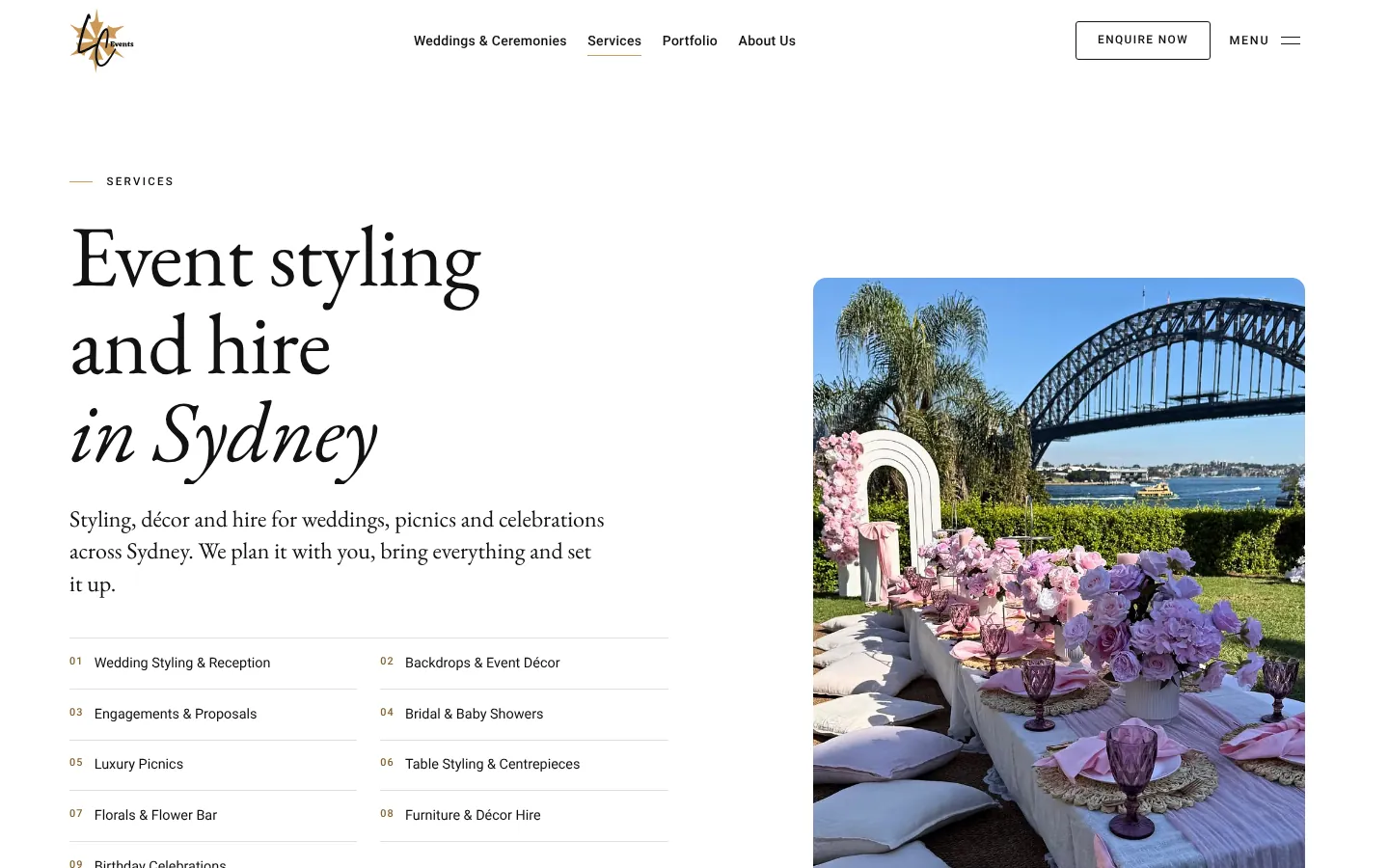
One test worth running on any site: view the page source (or ask your developer to). If the headings and text aren’t in the raw HTML, search engines may struggle with it. When we started on the LC Events website, its raw HTML had no headings or text at all; the rebuild serves every public page as real HTML.
Accessibility is part of the job
An accessible site works for people using screen readers, keyboards, zoom or high contrast, and it is usually clearer for everyone else too. The international standard is WCAG 2.2. In practice that means readable contrast, real headings in a sensible order, labelled form fields, visible keyboard focus, alt text on meaningful images, and respecting people who have asked their device to reduce motion.
Mistakes we see most often
- A homepage slogan instead of a description of the service.
- One “Services” page doing the job of six.
- No price guidance at all, so every enquiry starts with “how much?”
- Stock photos of people who don’t work there.
- Contact forms that go to an inbox nobody checks.
- A redesign that changed every URL without redirects, quietly dropping years of search visibility.
DIY or professional?
A website builder can be the right choice when you are testing an idea or have very little budget, and you have the time to build it properly yourself. A professionally designed site earns its cost when your business relies on strangers finding you, trusting you and getting in touch. Our guides to what a website costs and which platform to choose can help you decide.
Sources
- How long do users stay on web pages?Jakob Nielsen, Nielsen Norman Group, 2011
- Web Vitalsweb.dev (Google), accessed 25 October 2026
- Largest Contentful Paint (LCP)web.dev (Google), accessed 25 October 2026
- Understanding page experience in Google Search resultsGoogle Search Central, accessed 25 October 2026
- SEO Starter GuideGoogle Search Central, accessed 25 October 2026
- Influencing your title links in search resultsGoogle Search Central, accessed 25 October 2026
- Learn about sitemapsGoogle Search Central, accessed 25 October 2026
- Web Content Accessibility Guidelines (WCAG) 2.2W3C
- Forms tutorialW3C Web Accessibility Initiative
- LC Events case studyEverest Marketing, first-party project record